There are two philosophies in AP automation.
Sync-first: Extract the data, push it straight to QuickBooks, notify the user after. Fast. Frictionless. And, for most finance teams, terrifying.
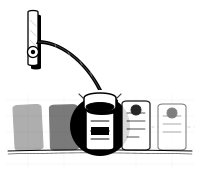
Review-first: Extract the data, show it to a human for confirmation, then sync. One extra step. Infinitely safer.
InvoiceFlow is built on the review-first model. Here's why that's not a compromise — it's the right design.
The problem with sync-first
Sync-first tools sell convenience. Upload 100 invoices, come back tomorrow, they're all in QuickBooks. Sounds good until:
- A vendor sent an invoice with the wrong total (happens more than you'd think)
- The AI misread a handwritten figure
- The same invoice was uploaded twice
- A currency field came back as USD when it should be CAD
In a sync-first world, all of these are now in your books. Reversing them is a reconciliation problem. Reconciliation problems eat hours.
The dirty secret of "fully automated" AP: someone eventually reviews the output anyway. They just do it downstream, under worse conditions, after errors have already propagated.
What review-first actually costs you
The honest answer: about 15–30 seconds per invoice for a clean result. Less for high-confidence extractions, more if you need to correct a flagged field.
For 100 invoices, that's 25–50 minutes. Which sounds like a lot until you compare it to:
- The time you currently spend on data entry (multiply invoice count by 3–5 minutes each)
- The time spent fixing sync-first errors after the fact
Review-first isn't slow. It's just visible. Sync-first hides the work until it becomes a problem.
How the queue is designed
The InvoiceFlow review queue is designed to minimize time-per-invoice — not eliminate the review step, but compress it.
Confidence highlighting — Low-confidence fields are visually flagged. High-confidence fields are presented as confirmed by default. Your attention goes where it's actually needed.
Inline editing — You don't navigate to a separate edit screen. Click a field, type the correction, move on.
Queue navigation — Previous and next controls let you move through a batch without leaving the current screen. Processing 20 invoices in a batch is a 5-minute task, not a 20-minute one.
Status tracking — Each invoice moves from "Needs Review" to "Complete" explicitly. You always know where things stand.
Approvals for higher-stakes invoices
For teams with more complex workflows, the queue supports a submit-for-approval step. Members extract and review; admins approve before export. This adds a second checkpoint without adding friction to the normal flow — most invoices bypass it entirely.
The right time to automate fully
There are scenarios where sync-first makes sense: very high volume, very high trust in extraction quality, and a downstream reconciliation process that catches errors before they matter. Large enterprise AP departments with dedicated reconciliation teams sometimes fall into this category.
For small finance teams and bookkeeping firms — the people InvoiceFlow is built for — that's not the reality. The review step is the safeguard. It's what lets you use AI-powered extraction without the anxiety of "what did it get wrong this time?"
Review-first isn't a limitation. It's the design.
InvoiceFlow is built on this model. See how the AP workflow works — queue-first, confidence-highlighted, with optional approval routing for your higher-stakes invoices.